
Brand Guidelines
A&M SYSTEM LOGOS
A logo is the distinct visual representation of an organization or entity and our primary identifier. Using it correctly and consistently helps others to recognize and remember who we are. Depending on the message and usage, you may choose to use The Texas A&M University System logo or a unit/departmental logo.
The A&M System logo downloads are available to A&M System Office employees through the A&M System’s PhotoShelter using SSO.
To locate and download the logos once logged into PhotoShelter, do the following:
- Locate and click on the “Library” at the top.
- Locate the Logos/Templates album on the left side menu.
- Select what you are looking for from the dropdown menu.
- Select the logo you would like to download.
- Hover over the item you need, and a black check mark icon and black download icon will appear at the top of the item. Click on the download option (it looks like an arrow pointing down to a line) or select each item you want to download by clicking the check mark icons for each. Or, locate the “Download All” button above the items to download all of the logos shown in the gallery you have selected.
The Texas A&M University System should not be listed or placed in such a way that it seems connected to any other logo other than the approved A&M System marks below.

Primary Mark
This logo stack is preferred for use as often as possible in A&M System communications.

Secondary Mark
This horizontal logo may be used when space constraints don’t allow for proper placement of the vertical primary mark.

Tertiary Mark
A version of the word mark in a single line is used on A&M System Offices letterhead and in special cases.
A&M SYSTEM DEPARTMENT, OFFICE, CENTER, INSTITUTE AND PROGRAM LOGOS
A clear visual connection to the A&M System is critical for all affiliated departments, offices, centers, institutes, and programs. The following unit logo identities should be used when communicating with all audiences for consistency and to establish a unifying visual style across A&M System entities.
Please note that the seal can be used in this manner as part of these approved departmental logos, but if it is going to be used on its own, approval from Marketing & Communications is required.
EXAMPLE UNIT LOGO #1

EXAMPLE UNIT LOGO #2

EXAMPLE UNIT LOGO #3

EXAMPLE UNIT LOGO #4
EXAMPLE UNIT LOGO #5
EXAMPLE UNIT LOGO #6
NEW INSTITUTES & PROGRAM GUIDELINES
This section is specifically for individuals affiliated with Texas A&M University System institutes, centers, programs and more that have recently been established or created by the Board of Regents. Prior to creating a logo or brand identity for your new unit, please contact either the A&M System’s Office of Marketing & Communications team or the marketing a communications team of another A&M System member that is affiliated with your unit. Our team will help you define your brand identity and will create a logo for your unit that is consistent with established brand guidelines.
A&M SYSTEM SEAL
The Texas A&M System seal should only be used on its own with prior approval from the Office of Marketing & Communications. The A&M System seal can be used on items such as awards, certificates, plaques, medallions, invitations, and official documents and reports.
The seal should be used in its entirety, with no alterations or visual distortions, and generally should be no smaller than half an inch. If the seal is used in conjunction with a member institution logo or seal, it should be of equal size.

Primary Seal
The all-maroon version of the A&M System seal on its own should only be used on a case-by-case basis.
Maroon and Silver A&M System Seal
FOR USE BY THE OFFICE OF THE CHANCELLOR ONLY
The maroon and silver version of the seal is reserved for use by the chancellor of the A&M System and the Office of the Chancellor. Colors: Aggie Maroon and Silver 877.
Maroon And Gold A&M System Seal
FOR USE BY THE BOARD OF REGENTS ONLY
The gold and maroon seal is for use only by The Texas A&M University System Board of Regents and the Office of the Board of Regents. Colors: Aggie Maroon and Gold 871.
BRAND COLORS
Print Color Palette
The primary color used for The Texas A&M University System is Aggie Maroon, which is a custom Pantone® color. Also, please note that Aggie Maroon CMYK values are different, depending on whether it is being used on coated or uncoated paper.
Maroon for A&M System Logos
Pantone Aggie Maroon: 7421
Aggie Maroon CMYK: C=15, M=100, Y=39, K=69
Aggie Maroon RGB: RGB 80, 0, 0 or Hex #500000
Primary Colors
Primary colors are the leading colors that make your brand recognizable. They should be the most dominant colors used in any design.

Aggie Maroon
CMYK: 15, 100, 39, 69
RGB: 80, 0, 0
HEX: #500000
PANTONE 7421

White
CMYK: 0, 0, 0, 0
RGB: 255, 255, 255
HEX: #FFFFFF
Secondary Colors
Secondary colors are additional colors that can be used to complement the primary colors, while accent colors should be used sparingly to provide visual interest and draw attention to certain elements. Secondary and accent colors should never be the dominant colors.

Black
CMYK: 100, 100, 100, 100
RGB: 0, 0, 0
HEX: #000000

Navy
CMYK: 90, 71, 46, 38
RGB: 47, 62, 81
HEX: #2F3E51

Gray
CMYK: 0, 0, 0, 56
RGB: 112, 112, 112
HEX: #707070

Tan
CMYK: 15, 12, 22, 0
RGB: 214, 210, 196
HEX: #D6D3C4

Light Gray
CMYK: 2, 1, 1, 0
RGB: 246, 246, 246
HEX: #F6F6F6
Accent Colors
Accent colors should be used sparingly to provide visual interest and draw attention to certain elements. Secondary and accent colors should never be the dominant colors.

Yellow
CMYK: 0, 0, 95, 0
RGB: 252, 227, 0
HEX: #FCE300
PANTONE 102C

Light Blue
CMYK: 32, 21, 7, 0
RGB: 174, 183, 207
HEX: #AEB7CF
BRAND FONTS
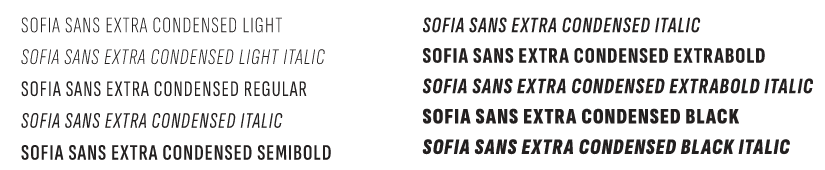
The Texas A&M University System uses three brand fonts, primarily for the web. All are optimized for digital use and the digital environment. Montserrat, Sofia Sans Extra Condensed and Spectral are all free Google fonts.
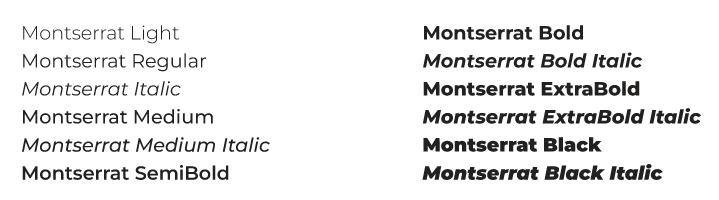
Montserrat
Montserrat should be used for body copy and larger headings, as it is designed for high legibility even in small sizes.
Sofia Sans Extra Condensed
Sofia Sans Extra Condensed should be used for page headings.

Spectral
Spectral is a versatile font with straightforward serifs that can be used in special cases, typically buttons.
BRAND TEMPLATES
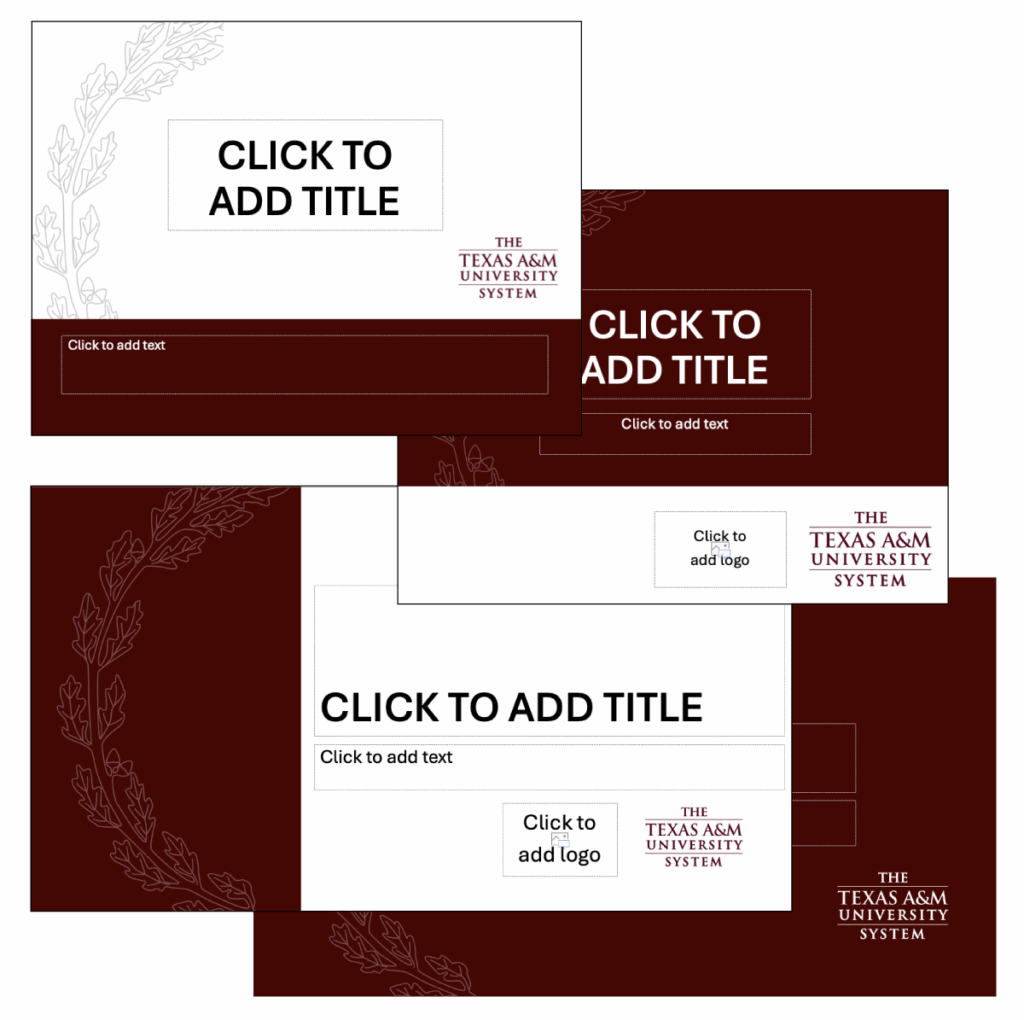
A variety of templates for letters, memos, PowerPoints and more are available for The Texas A&M System Office employees. The most current versions of these templates can be downloaded through the A&M System’s PhotoShelter using SSO.
A&M System’s PhotoShelter (Utilizes SSO)To locate and download the templates once logged into PhotoShelter, do the following:
- Locate and click on the “Library” at the top.
- Locate the Logos/Templates album on the left side menu.
- Select what you are looking for from the dropdown menu.
- Select the template you would like to download.
- Hover over the item you need, and a black check mark icon and black download icon will appear at the top of the item. Click on the download option (it looks like an arrow pointing down to a line) or select each item you want to download by clicking the check mark icons for each. Or, locate the “Download All” button above the items to download all of the templates shown in the gallery you have selected.
STATIONERY
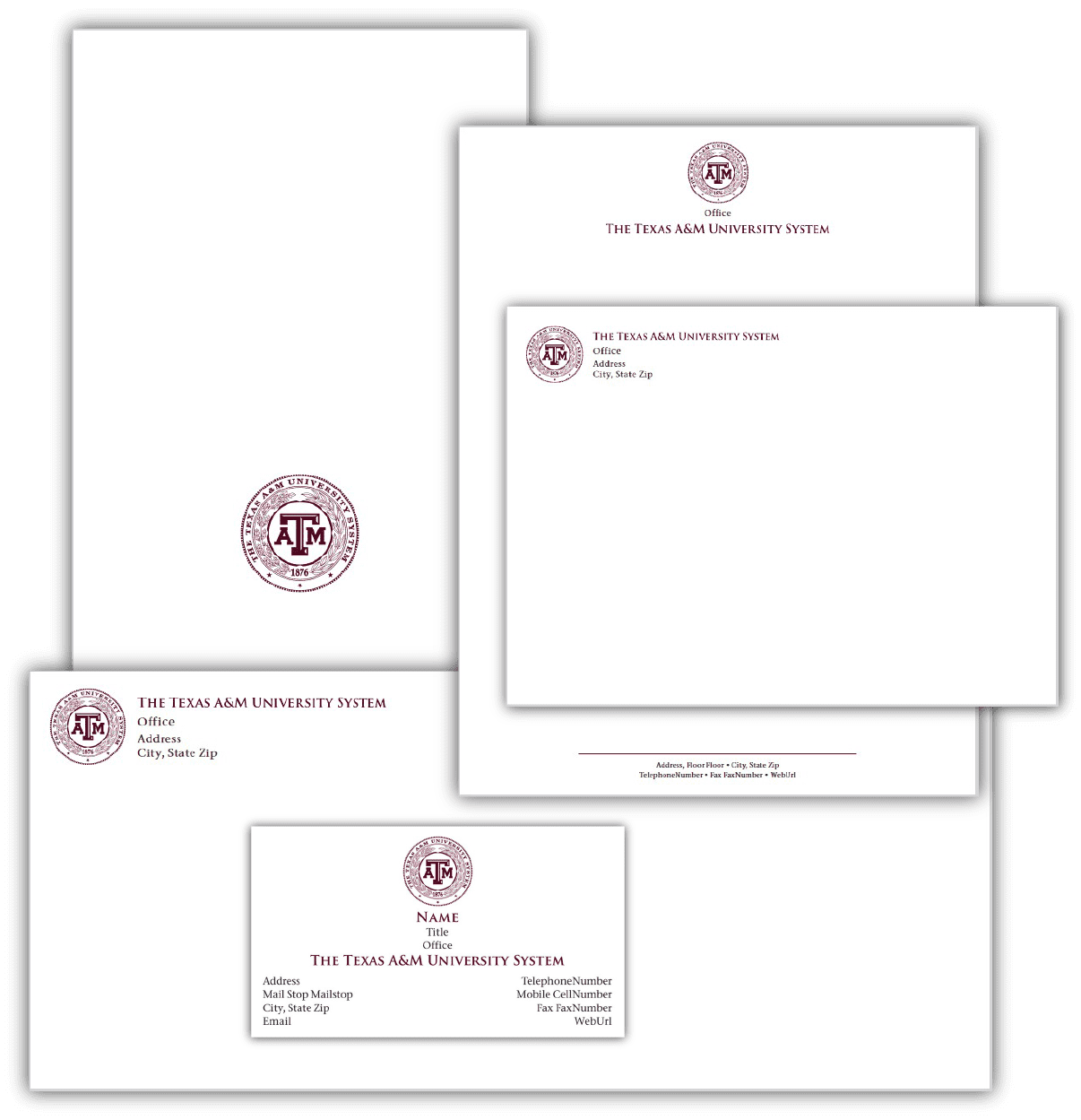
Preprinted stationery items have been created to a provide offices with a cost- and time-effective way to reflect The Texas A&M System’s brand. Envelopes, business cards, letterhead, and notecards are available. These materials can be ordered through AggieBuy by logging into SSO.
Log in to SSOThe A&M System seal can be produced in Pantone Aggie Maroon, reversed out of a color in white or in gold or silver foil.
Note: Use of the gold or silver foil seals, which are reserved for the Board of Regents and the Office of the Chancellor, must be approved by the Office of Marketing & Communications.
TRADEMARKS & LICENSING
For all uses of our brand marks on licensed products, please review the information on trademarks.tamu.edu and contact the Office of Marketing & Communications with any questions.
APPROVED VENDOR LIST
The Texas A&M University System has approved vendors for needs related to marketing and communications in categories like graphic design, marketing, and video. If you are interested in using the services of any of the approved vendors, please contact the Office of Marketing & Communications for the list and to get connected with the appropriate designated account representative.
BRAND CONTACT
For further information or questions about any of the information regarding The Texas A&M University System brand requirements, please contact the Office of Marketing & Communications.